Configuring Device Settings
[Maintenance] Function Settings
This device enables you to change settings for each function to suit your environment.
Below shows an example of the procedure to check [Settings] in [Operating History].
-
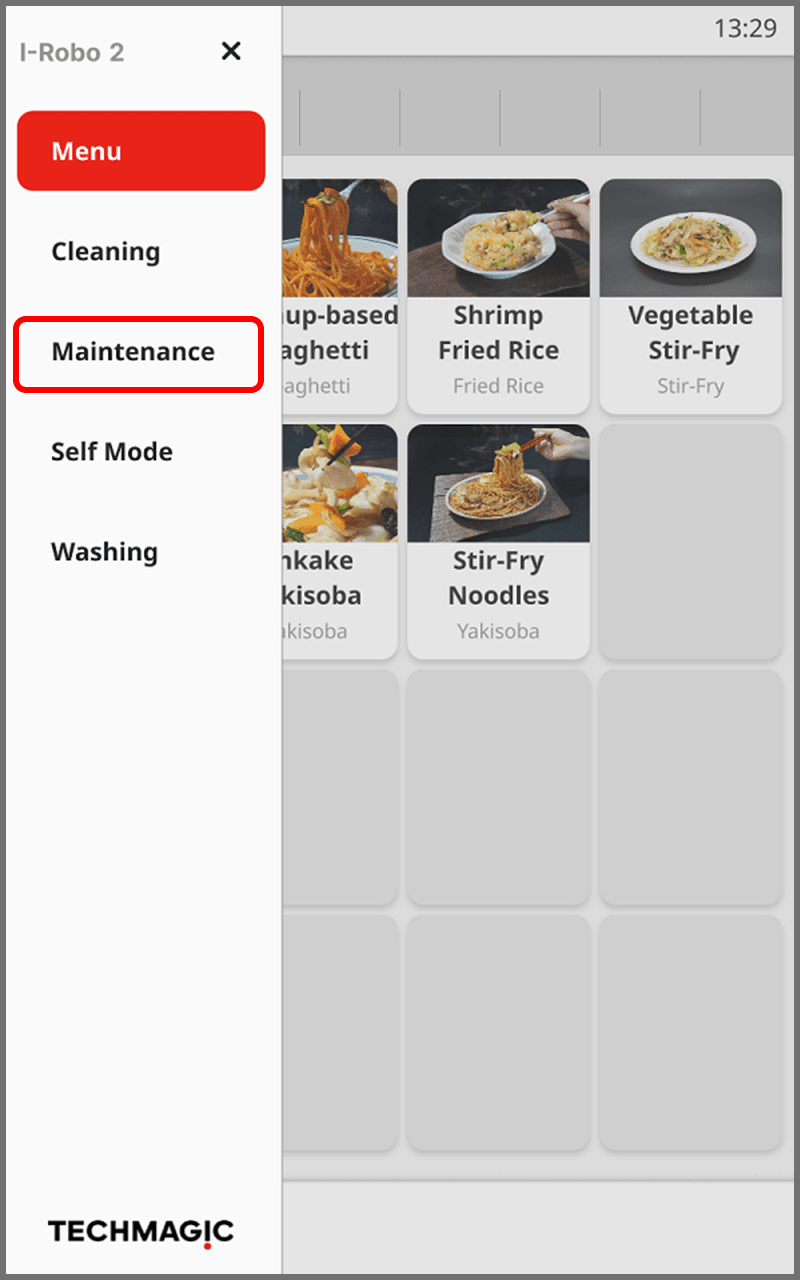
Touch
 to display the menu.
-
Touch [Maintenance].
The [Maintenance] screen is displayed.
-
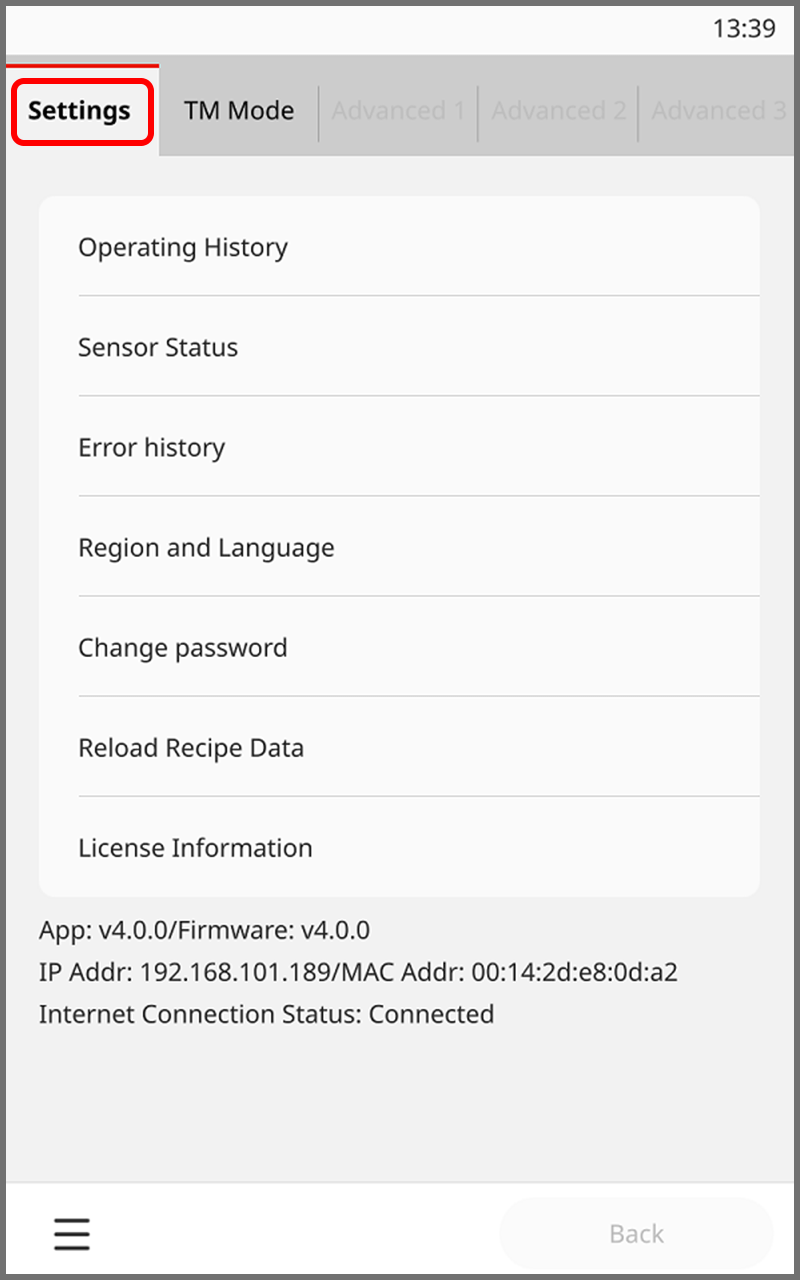
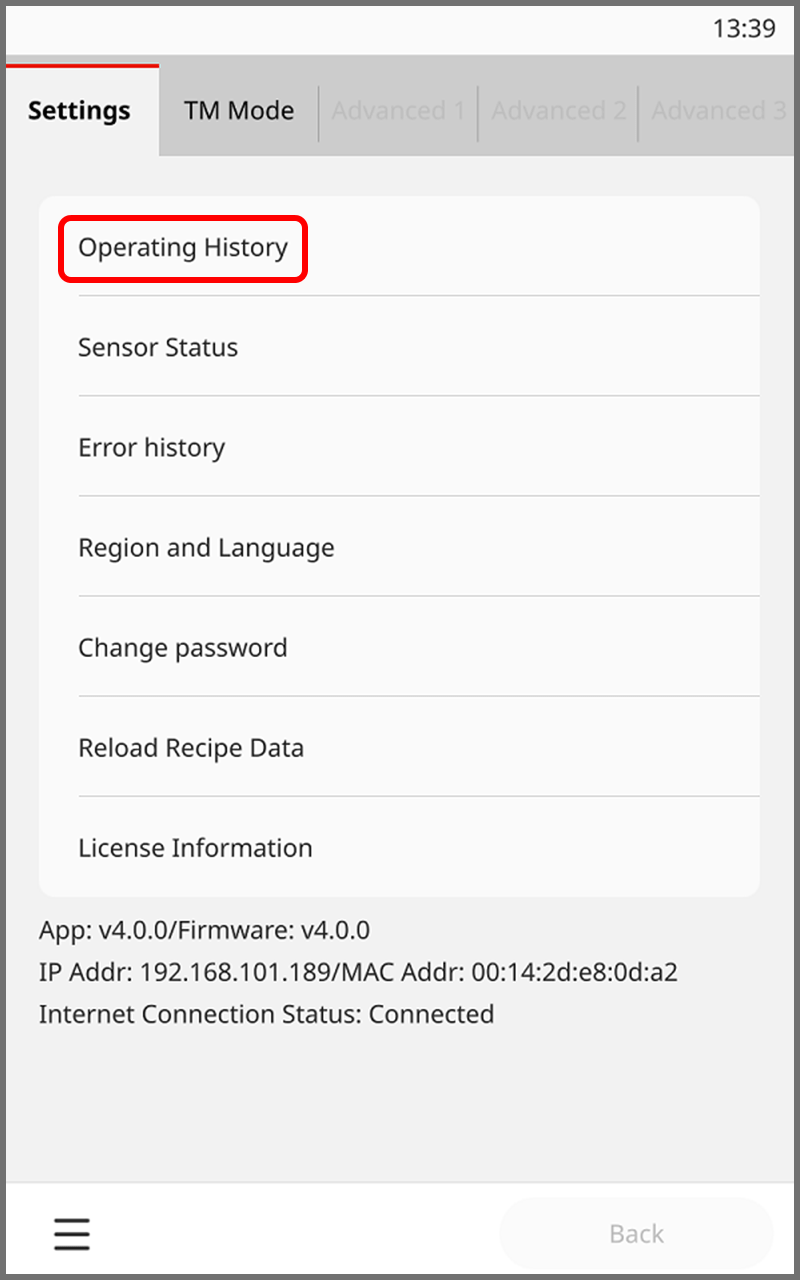
Touch [Settings], then touch [Operating History].
-
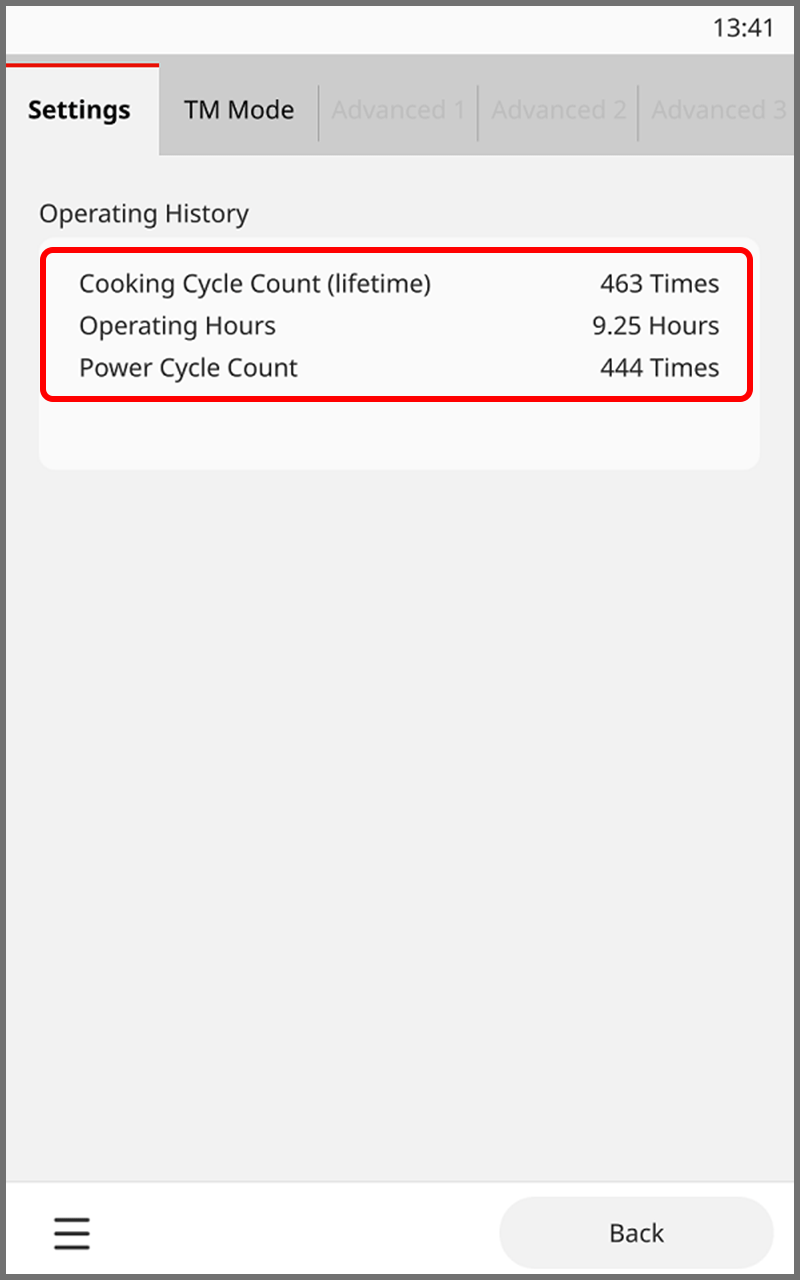
Check the details of [Operating History].
Items in the [Settings] Menu
Configure the basic functions of this device.
| Setting item | Description | ||
|---|---|---|---|
| Operating History | Check the operating history of this device. | ||
| Sensor Status | Check whether each sensor on this device is currently operating. | ||
| Error history | Check the history of cases where this device did not run normally. | ||
| Region and Language | Set the region and language to use this device in. | ||
| Language | Japanese | Set the language displayed on the touch panel to Japanese. | |
| English | Set the language displayed on the touch panel to English. | ||
| Temperature Unit | °C | Set the temperature unit displayed on the touch panel to Celsius. | |
| °F | Set the temperature unit displayed on the touch panel to Fahrenheit. | ||
| Time Format | 12h | Set the time format displayed on the touch panel to 12-hour format. | |
| 24h | Set the time format displayed on the touch panel to 24-hour format. | ||
| Time | Set the time displayed on the touch panel manually. | ||
| Locale | Set the region to use this device in. | ||
| UTC | Set the region to use this device to UTC. | ||
| Region | Set the region to use this device in. | ||
| Country | Set the country to use this device in. | ||
| Change password | Service engineer use only. | ||
| Reload Recipe Data |
If the latest recipe data is available, the recipe data in the device can be updated to the latest version. * This device must be connected to the Internet. |
||
| License Information | Check the device license information. | ||
Items in the [TM Mode] Menu
[TM Mode] and [Advanced 1], [Advanced 2], and [Advanced 3] are intended for the administrator. For details, please refer to the separate "I-Robo 2 Maintenance Reference Materials".