Emergency Stop Switch
If a malfunction or emergency occurs, immediately press the emergency stop switch to stop the device safely.
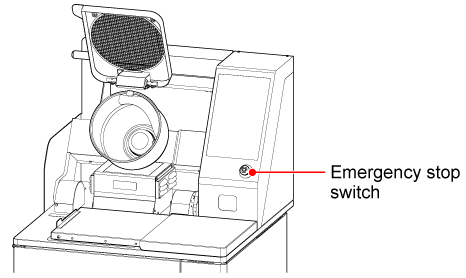
Performing Emergency Stop of the Device
-
Press the emergency stop switch.
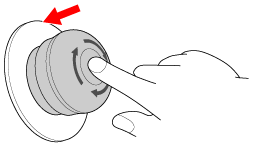
The device stops immediately.
Releasing the Emergency Stop State
Follow the steps below to release the emergency stop state.
-
Check that there are no objects that may interfere with the operation of the device.
-
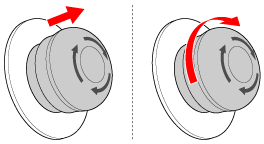
Pull the emergency stop switch toward you or turn it clockwise to release the emergency stop.
-
If an alarm is displayed, refer to "Troubleshooting" and perform the appropriate recovery procedure.